Optimizing Video Compression for Neural Networks
Nicholas Chen · April 2026
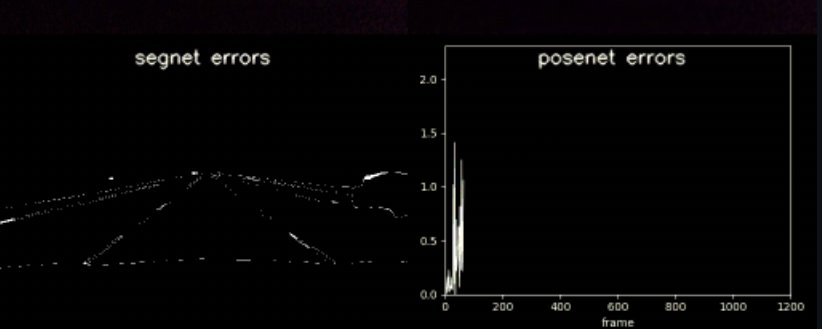
I've seen a few comma.ai posts on X in the past and thought their product was pretty cool. Recently, I noticed that they were hosting challenges for people to compete in, so I decided to give the video compression challenge a shot.
The goal was to shrink a 37MB dashcam clip as much as possible while ensuring two specific neural networks, PoseNet and SegNet, could still accurately perceive motion and objects. I hadn't ever done anything like this before, so I knew it would be a steep learning curve, but I wanted to see how much I could challenge myself.
The challenge
The scoring function rewards small files, but only if the compressed video still preserves the information the evaluation models need. That made this less like normal visual compression and more like asking: what parts of the video matter to a neural network?
Research notes
Before starting the challenge, I did some research and took notes on how the two neural networks were being evaluated.
PoseNet: a real-time deep learning model for pose estimation. It takes two consecutive frames from the video and predicts six values that represent 3D movement: three translation values (x, y, z) and three rotational values (pitch, yaw, roll). PoseNet distortion is the difference between the motion predicted on the original frames and the motion predicted on compressed frames.
SegNet: a segmentation network that looks at semantic objects like cars, lane lines, vehicles, sidewalks, and sky. It is measured by calculating the average class disagreement between the original and compressed frames, which reflects how well the AI can still identify objects.
Looking at top submissions, I noticed a few recurring patterns: AV1 encoding with SVT-AV1, sharpness filters to reduce jitter in confidence scores, and Lanczos resampling to downscale while keeping important edges clean.
The compression approach
Since I wanted to do this in two hours, I focused on optimizing one file and improving compress.sh for the time being. The main shift was moving from H.265 to AV1 through libsvtav1 at preset 6. AV1's motion prediction is significantly more efficient, allowing the models to infer details from a lower-quality stream that H.265 would have mangled.
I systematically tested scales from 10% to 45% to strip junk data like the sky and dashboard. I settled on 35% using a Lanczos resampler to keep lane edges sharp enough for the models to distinguish.
I also used an unsharp mask to pop vehicle edges and film grain synthesis (film-grain=8) to strip space-heavy natural noise, then fake texture back in during playback so the models wouldn't get confused by flat, compressed surfaces.
Finally, I set keyint=180 to save a full frame only once every nine seconds. Relying on motion vectors for the intervals saved massive space without losing the consistent motion data the AI requires.
Results
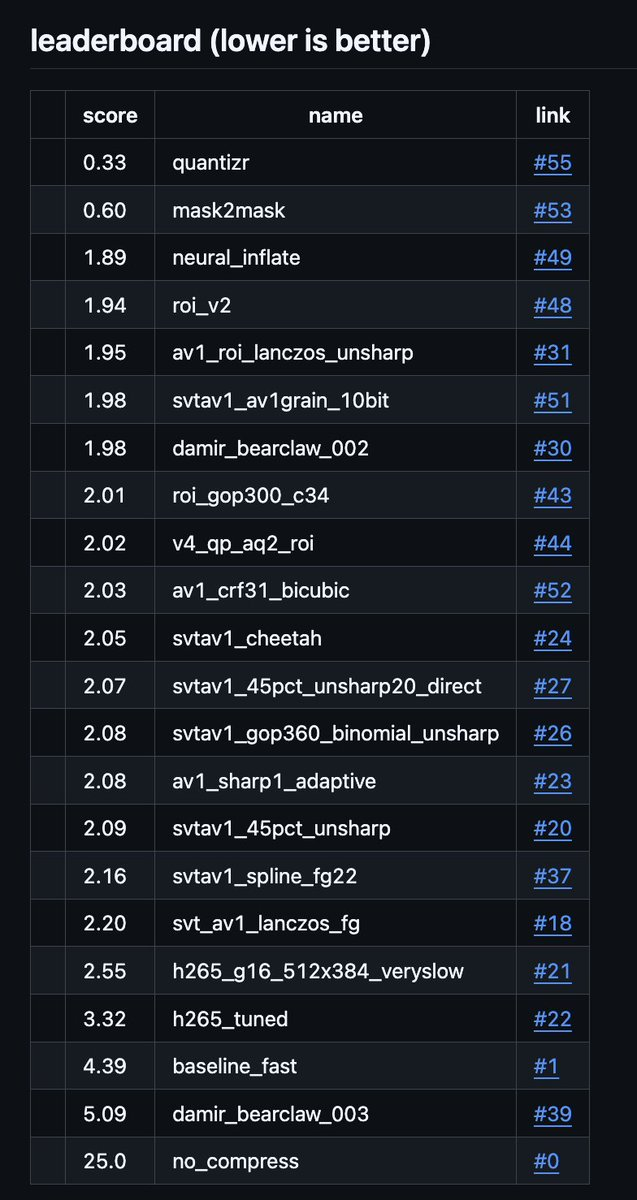
After about 30 iterations of guessing, checking, and monitoring how CRF affected the blindness of the models, I dropped my overall score from the baseline of 4.43 down to 3.08.
=== Evaluation config ===
  batch_size: 16
  device: mps
  num_threads: 2
  prefetch_queue_depth: 4
  report: submissions/nic_compression/report.txt
  seed: 1234
  submission_dir: submissions/nic_compression
  uncompressed_dir: /Users/nicholas/comma_video_compression_challenge/videos
  video_names_file: /Users/nicholas/comma_video_compression_challenge/public_test_video_names.txt
=== Evaluation results over 600 samples ===
  Average PoseNet Distortion: 0.31859472
  Average SegNet Distortion: 0.00694903
  Submission file size: 901,066 bytes
  Original uncompressed size: 37,545,489 bytes
  Compression Rate: 0.02399931
  Final score: 100*segnet_dist + √(10*posenet_dist) + 25*rate = 3.08
Final recipe
Here is the code that got me this overall score:
# final recipe
ffmpeg -i "$in"   -vf "scale=trunc(iw*0.35/2)*2:trunc(ih*0.35/2)*2:flags=lanczos, unsharp=3:3:0.8"   -pix_fmt yuv420p -c:v libsvtav1 -preset 6 -crf 33   -svtav1-params "keyint=180:film-grain=8"   "$out"
It was a long process of failed ffmpeg commands, but a great deep dive into how to prioritize data that actually matters to a neural network.
What I would try next
Looking back and reflecting on this challenge, if I had more time I would have moved beyond the shell script and started hacking on the other Python files and shell infrastructure.
I'd implement custom post-processing, potentially using a lightweight AI upscaler or a super-resolution model to reconstruct the downscaled frames in compress.py and inflate.py before they are fed into the evaluation neural nets. I would also optimize the decompression pipeline to handle more complex multi-pass decoding in inflate.sh, allowing for even higher compression ratios during the initial pass.
I didn't get anywhere near the top score, but I definitely learned a lot and had a lot of fun doing this challenge.